
Yes, you can change it yourself. The Basics tab has a URL editor.
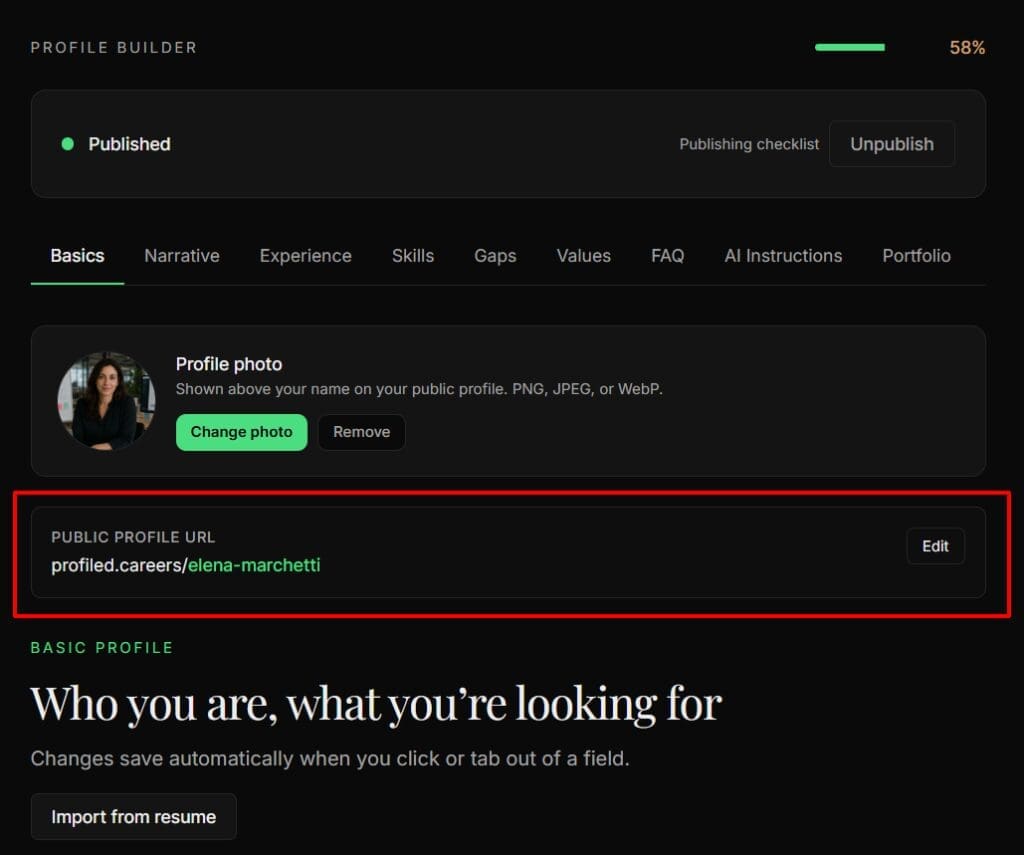
Your very first URL is derived from your email with a short random suffix, but the first time you enter your full name it is replaced automatically with a name-based one, for example jane-nguyen. Your profile lives at profiled.careers/your-name, a top-level address with no prefix.
Detail
Why it looked wrong at first. The URL is created with your account, before Profiled knows your name, so it starts from your email address plus a random suffix. Entering your full name, by typing it or via résumé import, triggers the automatic swap to a name-based URL.
Editing it. The Basics tab has a URL editor with live availability checking. On the panel labeled "Public profile URL", click Edit and type the part that follows profiled.careers/. The rules are 3–50 characters, using lowercase letters, numbers, dots and dashes, and the address must start and end with a letter or number. Capital letters are converted to lowercase as you type. Unlike the rest of the builder, this field has an explicit Save URL button. Cancel leaves your address as it was. The Tab 1 — Basics guide shows where the panel sits on the tab.
What the availability check tells you. A moment after you stop typing, one of these appears under the field:
- "✓ Available": nobody holds this address. Click Save URL to take it.
- "✗ Already taken": another profile uses it, or used it before.
- "✗ That URL is reserved": Profiled keeps this word for its own pages, such as
pricingorsettings. - "Use lowercase letters, numbers, dots and dashes (3–50 chars).": the address is too short, too long, contains another character, or starts or ends with a dot or dash.
⚠ One change per 30 days. After a manual change you are locked for 30 days, and the error message tells you exactly how many days remain, for example "You can change your URL again in 12 days." The automatic name-based swap does not count against this, so your first real edit is never rate-limited. Choose deliberately rather than experimenting.
Your old link keeps working. After a change, the previous address redirects for 90 days while your profile stays published, so a link you have already shared does not break immediately. Nobody else can take an address you have given up.
Before you publish. Your address is not live for anyone else until your profile is published; until then it shows a "not found" page. While your profile is a draft, the link on the panel opens your private preview, and a note under it reads "Not public yet — this opens your private preview. Publish to make the link live." Once your profile is published and public, the same link opens your public profile in a new tab. Preview / View your profile: your profile as a visitor sees it explains the preview.
If your preferred name is taken. A URL that someone else used and gave up does not come back into circulation. It does not free up when its 90-day redirect ends, so vary it. Add a middle initial, a discipline, or a dash.
Related
- What exactly do visitors and recruiters see on my public profile?
- Can I unpublish my profile, and what happens when I do?
- What should I do first after logging in?
Last verified: 2026-10-01